 Cove
CoveThe whole family on one screen.
Turn a tablet you already own into the family screen. Everyone sees the plan, so nobody has to be the one who remembers.

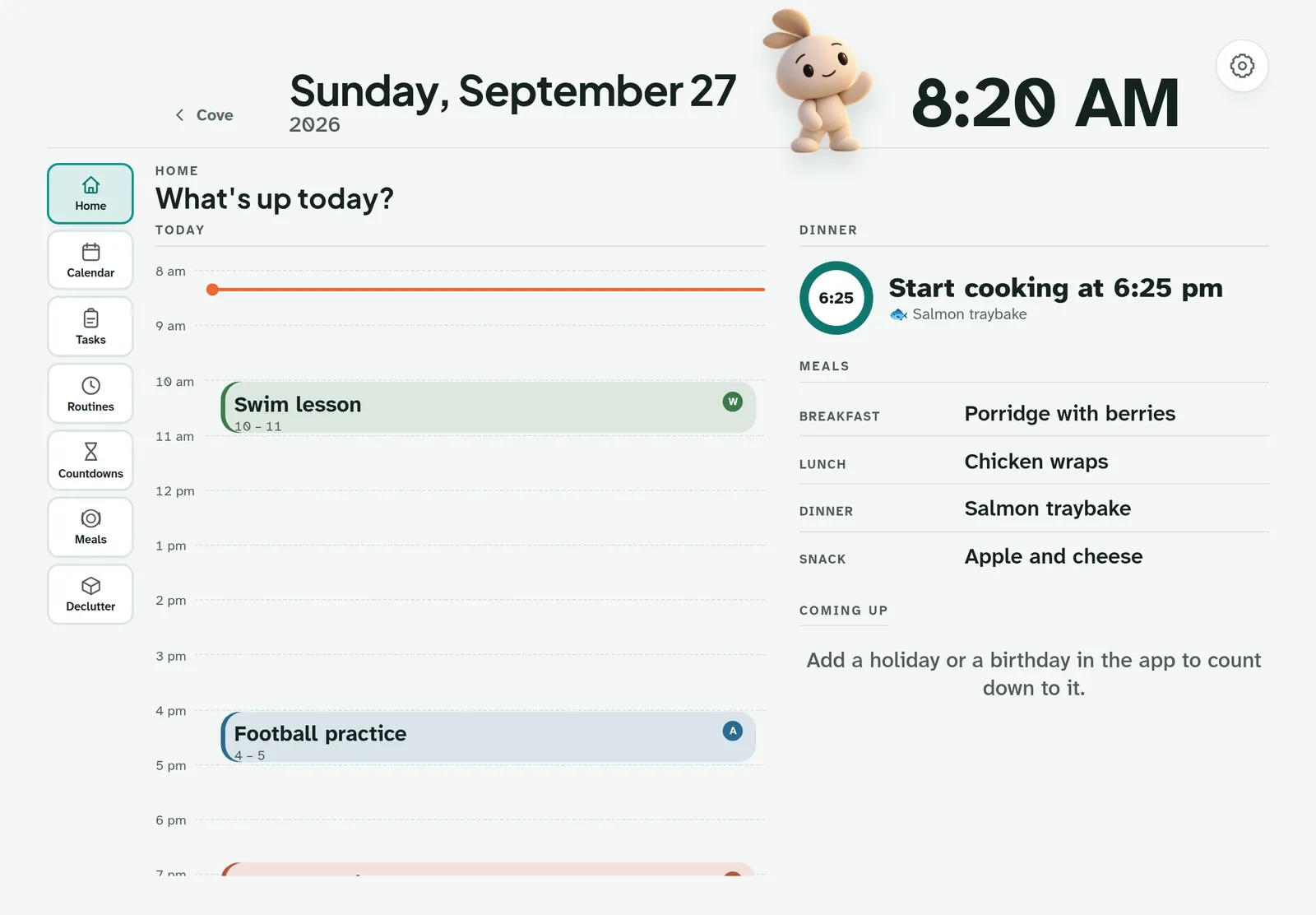
What it shows
- Home: today's timeline, tonight's dinner and when to start cooking.
- Calendar for the week, colour-coded by person.
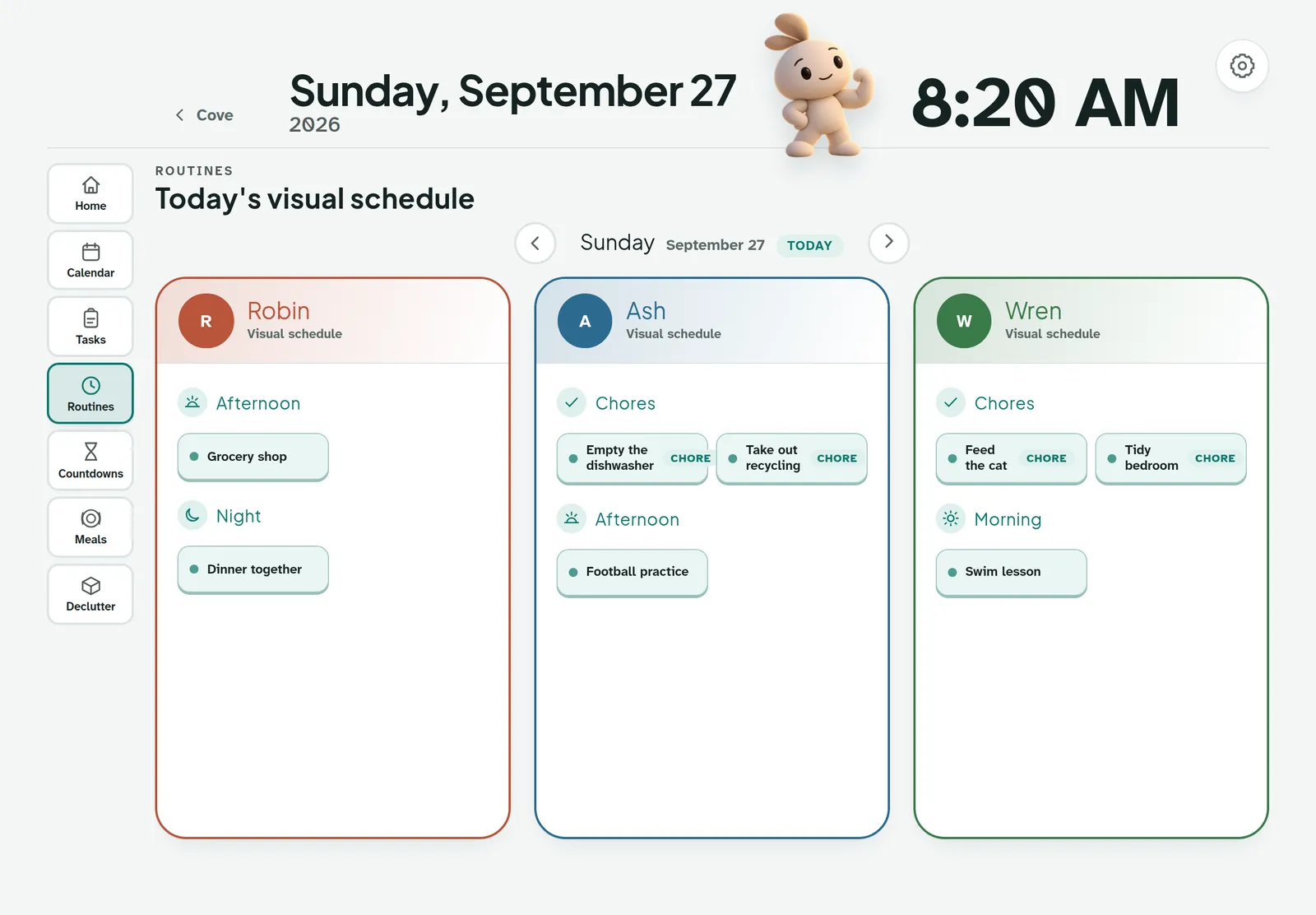
- Tasks with quick wins, and Routines as picture tiles.
- Countdowns to holidays and birthdays.
- Rewards Closet, Meals and Declutter sessions.
What it keeps private
The wall is a read-mostly family view. No budget, no logins and no settings ever appear on it. You can hide the tabs you'd rather not show.
When the house is quiet, it dims to a resting screen, and Cove goes to sleep.
They can see what's next without asking.
Each person's routine is right there in pictures. Kids tap a tile when it's done, and Cove cheers.
Four steps, about two minutes.
- 1. Open Cove on the tablet
Go to app.craftdreamsco.com/display.html in the tablet's browser.
- 2. Sign in
Use the household account that set Cove up.
- 3. Tap “Use this screen”
The tablet signs out of your account and keeps only the family view.
- 4. Add it to the home screen
It then opens full screen, like a dedicated device.
Any tablet with a modern web browser works. There's nothing extra to buy.
Put it down. Cove will hold it.
30 days free, no card. Then CA$5 a month for your whole household.